Do you use a keyboard to navigate websites? If so, you've probably run into countless accessibility issues where groups of inputs or widgets are not easy, or even possible to get to with just the keyboard.
A keyboard-accessible website lets you easily reach its various sections and then navigate within them in an intuitive way.
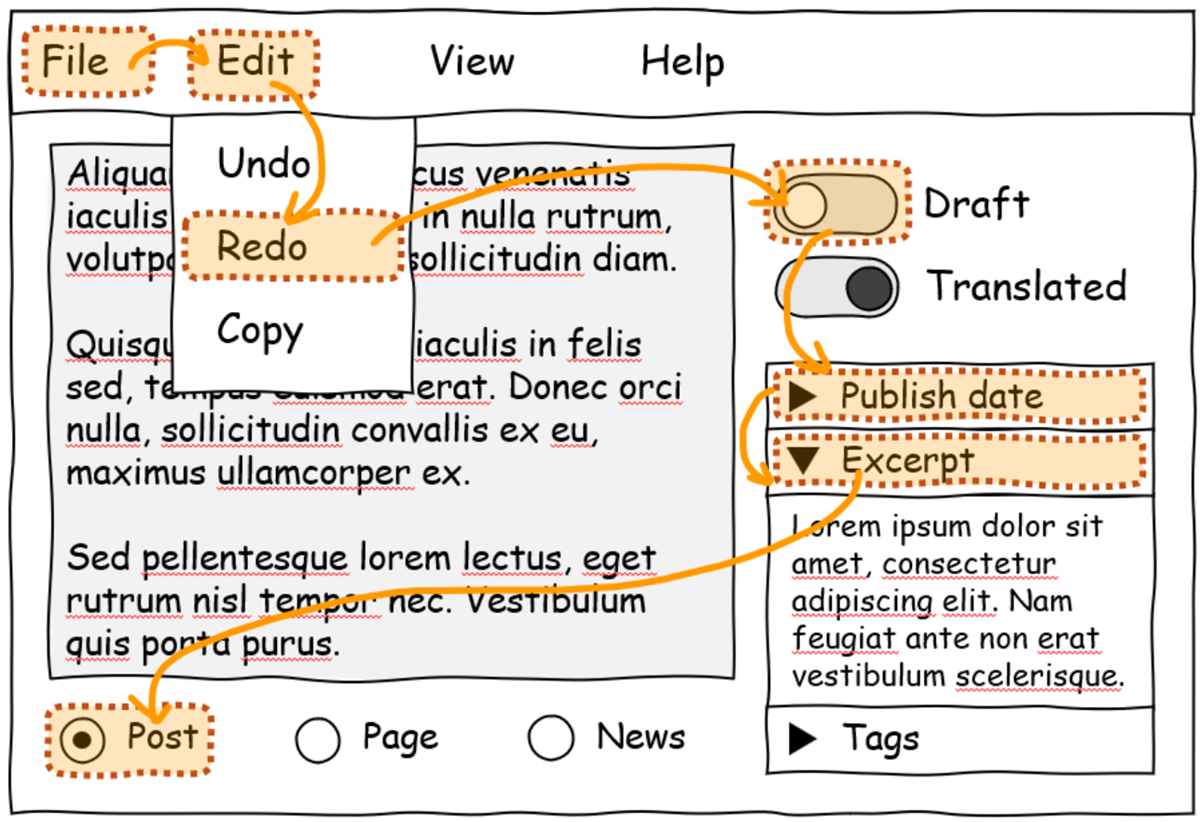
Unfortunately, inaccessible websites are common on the internet. The Web Almanac reports that about 50% of websites don't use tabindex, a common technique for making keyboard navigation possible on the web.
The issue is complex, though. Web developers can create keyboard-accessible sites by using the technologies at their disposal today. But, often, these technologies don't make things easy for them. Creating a fully keyboard-accessible site, especially one that has complex widgets such as menus, submenus, toolbars, tabs, and other groups of inputs, isn't free; it requires a lot of work and knowledge.
In fact, if you are a web developer yourself, you have probably been confronted with the following common issues when trying to improve the accessibility of your website:
- Setting an incorrect
tabindexvalue or forgetting to set it at all. - Forgetting to call the
focus()function to move the focus to the right element. - Not preventing the default browser behavior when handling arrow keys.
- Focusing disabled or hidden inputs by mistake.
- Implementing a keyboard navigation pattern that doesn't match your users' expectations.
- Not properly handling all text directions.
- Not restoring the previously selected element on refocus.
- And more.
This, in turn, impacts the users of your website too. The more code your website needs, the more time it will take for the site to load and become usable.
Introducing focusgroup
This keyboard accessibility problem has been on our minds for a long time. We designed an early solution for it in 2021, called focusgroup, and we then started collaborating with others on it, as part of the OpenUI community group, in 2022.Taking the problem and an early solution to a broad collaborative forum allowed us to mature the focusgroup idea and go through iterations, taking many perspectives into account. This led to a better, more complete solution for web developers.
Today, we're happy to announce that the focusgroup feature is available for early testing by web developers in Microsoft Edge.
Developers can also test the feature in other Chromium-based browsers. We contributed the implementation to the Chromium open-source project to reach as many web users as possible, and we'll be working with other browser vendors to implement focusgroup for the entire web.
If you're a web developer, focusgroup makes your life much easier:
- You don't need to write any
tabindexroving code yourself or import a library for it. - Using focusgroup is easy; a single HTML attribute is often the only thing you need to add.
- The arrow keys are handled for you, across all text directions and skipping over disabled and hidden elements.
- The keyboard navigation patterns that focusgroup provides are based on guidelines from the ARIA Authoring Practices Guide.
- Focusgroup also works for elements in shadow DOM.
- Sites will load faster!
- You will get a more consistent keyboard navigation experience across websites.
- While tabbing will let you navigate through the main sections of a page, the top, right, bottom, and left arrow keys will work as you'd expect and let you access the various elements or inputs inside of a section.
To learn more about the feature and how to use it, check out our post on the Chrome for developers blog, and let us know what you think.
Together, let's create a more accessible web.