When you're building video workflows, you need to understand your usage to predict growth, understand adoption, and make business decisions. What resolution are viewers actually watching? How is content distributed across storage tiers? What's the split between live and on-demand encoding? What quality encoding are you utilizing?
We want to make answering these questions easy. That's why we're launching Usage Reports — detailed visibility into your Mux Video usage.
How it works
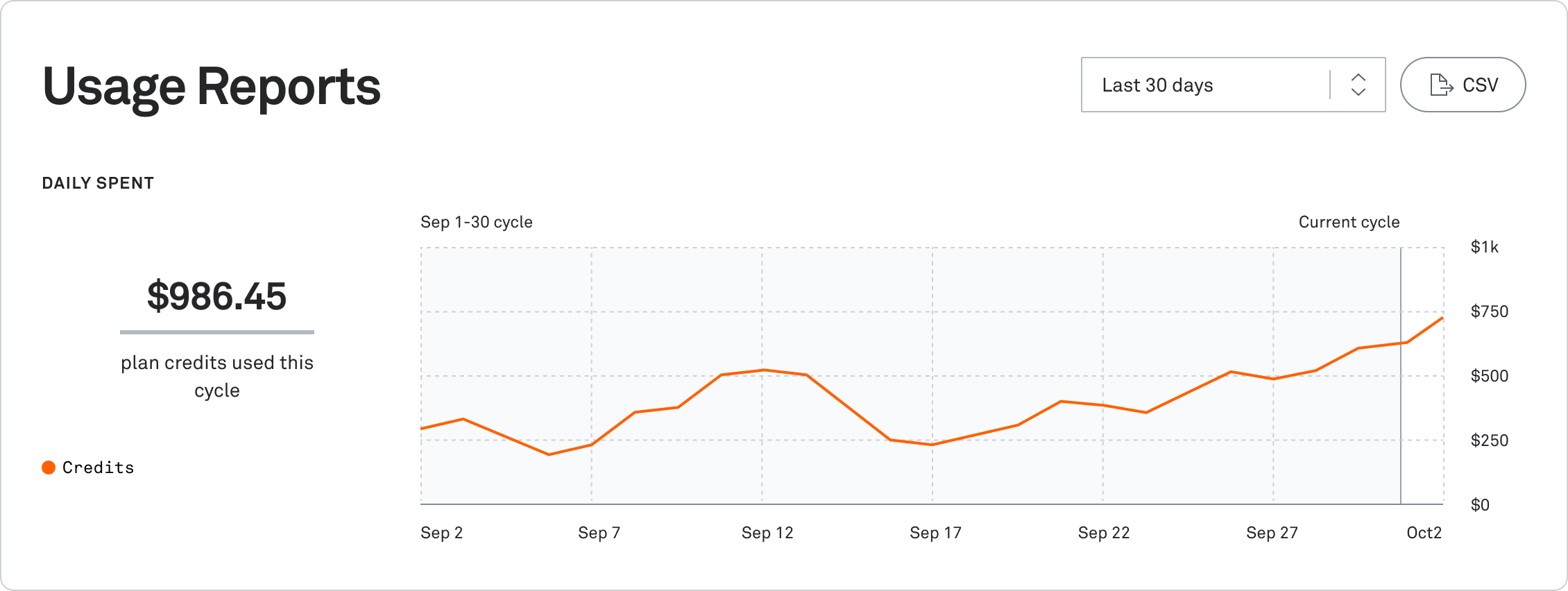
Usage Reports gives you detailed breakdowns of your Mux Video usage, to view ingest, storage, and delivery categories by minutes or cost.
Current usage at a glance
The summary shows your usage for any time period you select — last 30 days, current or previous billing periods, or custom date ranges. For customers on subscription plans with credits, you'll see your credit usage and remaining balance for the current cycle.
Detailed breakdowns
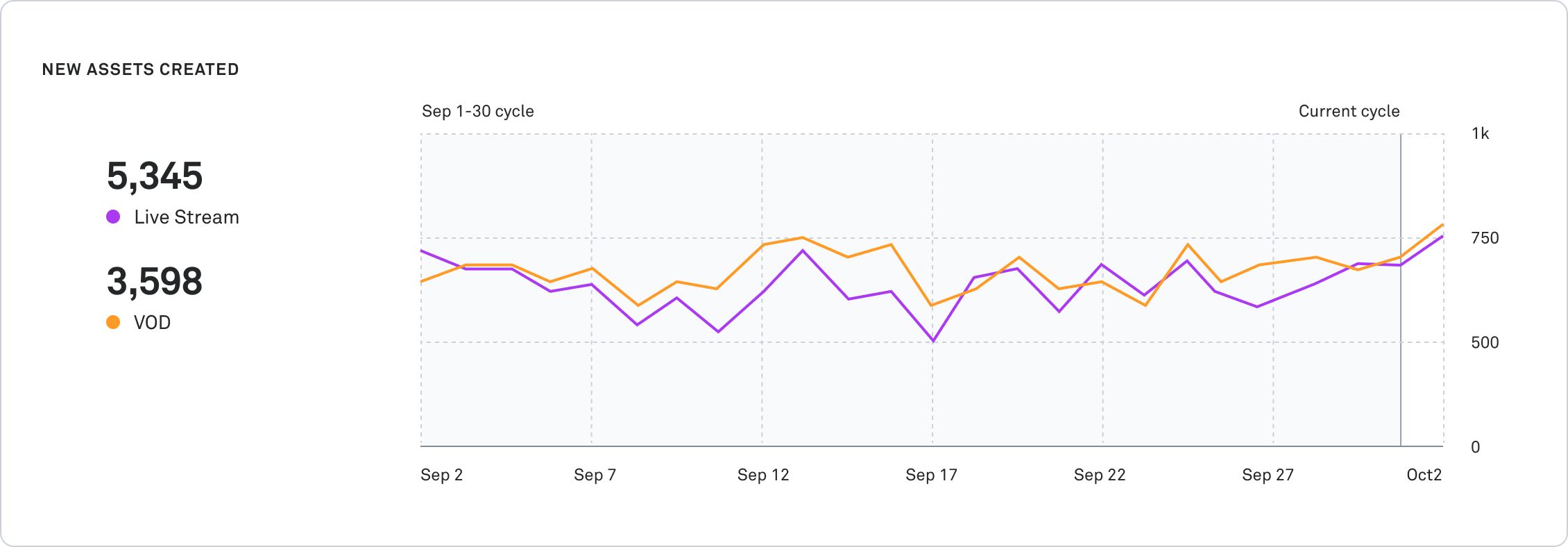
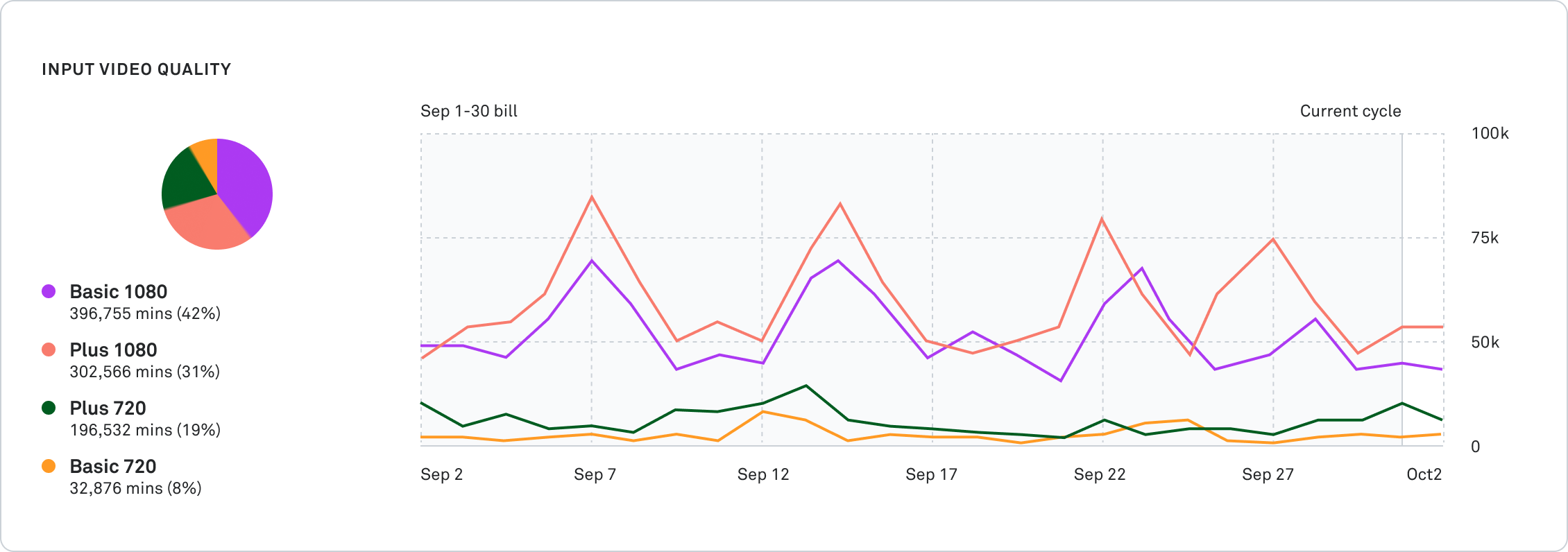
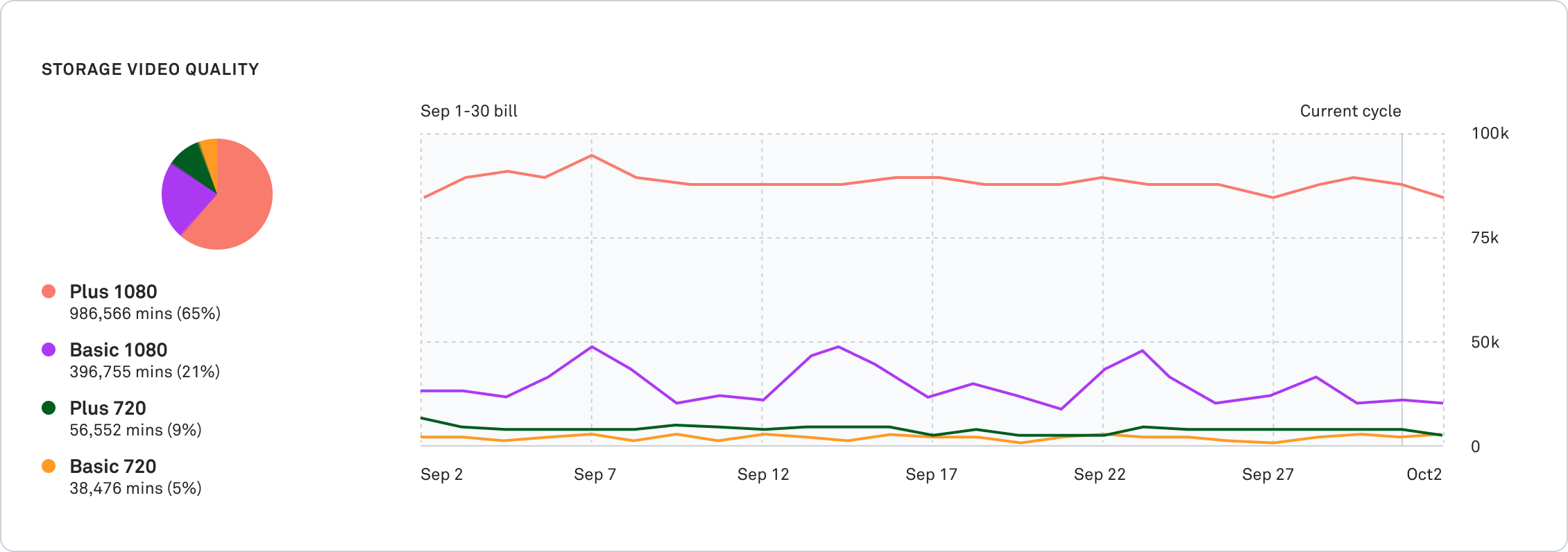
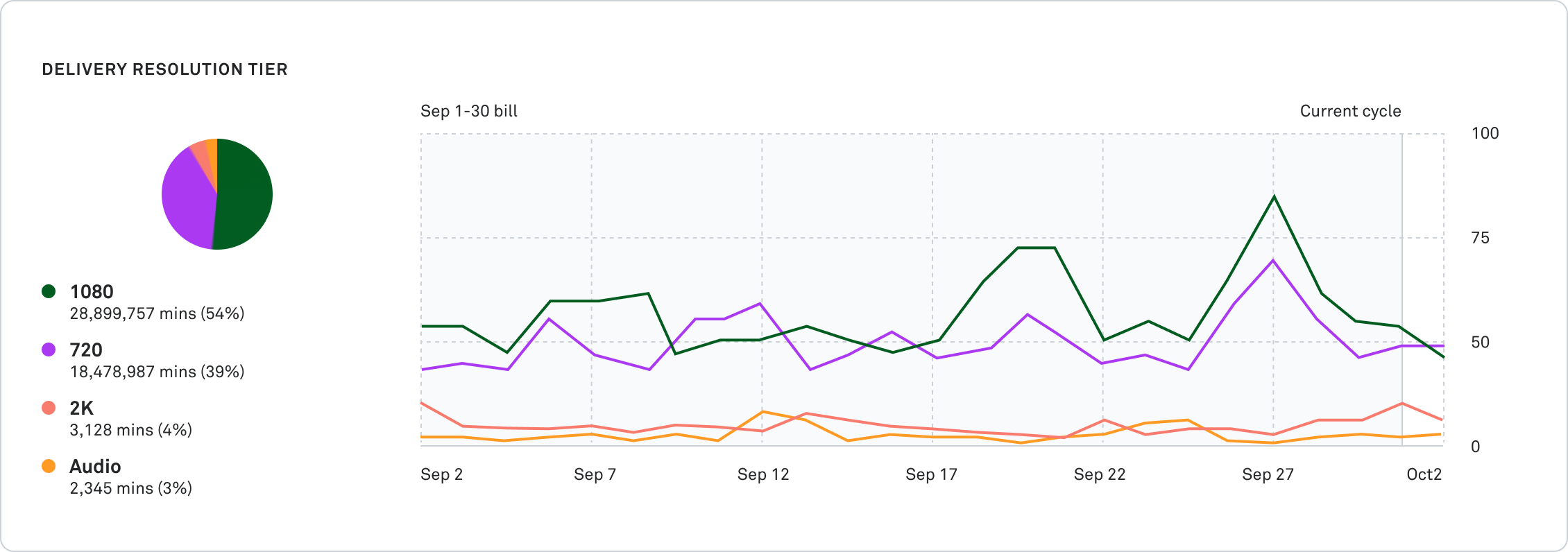
Each breakdown includes both distribution (pie chart) and trends over time (daily line chart), so you can see what you're using and how patterns are shifting.
New Assets Created breaks down VOD (Video on Demand) versus Live content. If have both on-demand and live assets, this shows you the distribution and helps you understand which content type drives more encoding.
Input Video Quality breaks down your encoding across quality levels (basic, plus, premium) and resolution tiers (2160p, 1440p, 1080p, 720p, audio only).
Storage Video Quality shows what's actually in your library — the quality level and resolution of stored content over time.
Storage Tier reveals how content distributes across Standard, Infrequent, and Cold storage tiers.
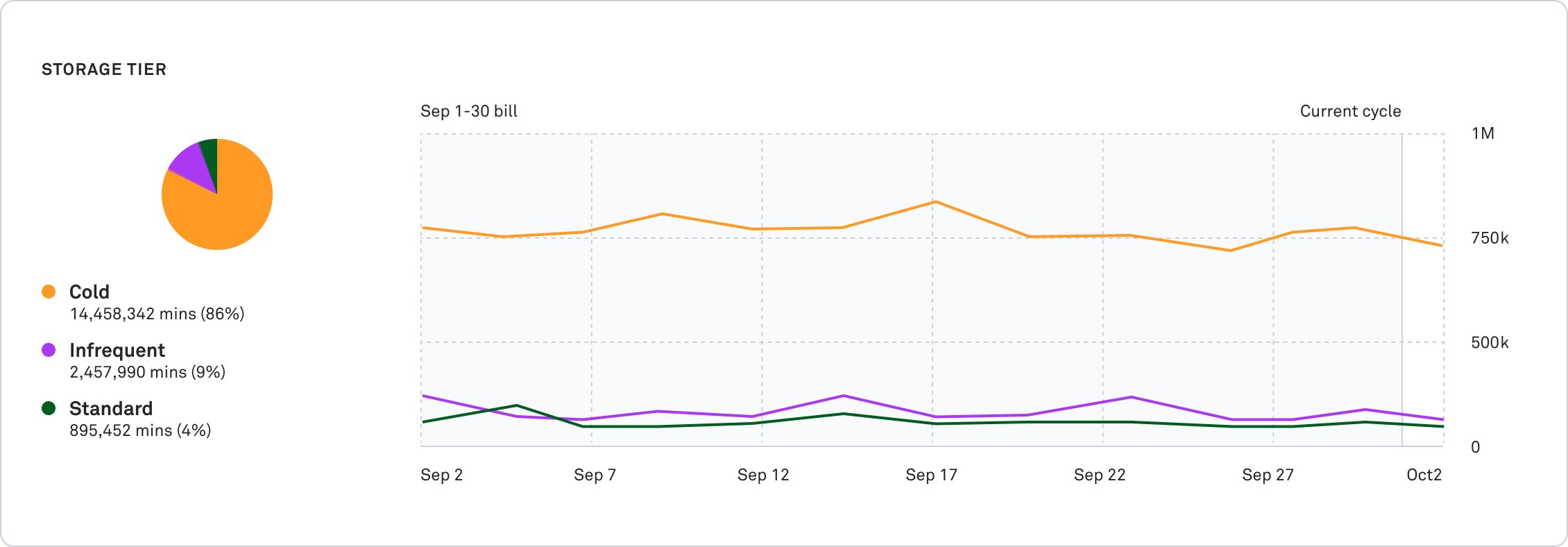
Delivery shows what viewers actually watched — 720p, 1080p, 2K, or 4K. If you're seeing unexpected 4K delivery, you might want to adjust playback modifiers.
Export for deeper analysis
Export any date range as CSV to analyze outside of Mux or share with your team.
Available now
Usage Reports is live in your Mux Dashboard. Navigate to Organization > Billing > Usage Reports to access it.