This is what turns out to be a part 3 of a series about building sightread.org with minimal tooling:
- Part 1: Import JavaScript like it's 2026
- Part 2: Maximally Minimal Build Process
The previous posts covered how I structure js modules for parallel loading and how to build a production-ready app with a 200-line build script. But I forgot to talk about testing and code coverage, two things we rarely concern ourselves with in personal projects, but are nice to have. Also this project is a bit more than a quick hack and I've bigger plans for it. In fact futzing around with software good practices is my way of procrastinating on executing the bigger plans. But hey, any large feature or refactoring is the time you pat yourself on the back for having tests. And coverage of said tests over a biggish part of the code.
The JavaScript ecosystem offers the likes of Jest, Jasmine and a dozen other test frameworks. Each comes with its own configuration files, plugins, node_modules... But how about a DIY?
The Philosophy
The testing philosophy follows the same principle as the rest of the project: let's use what the platform gives us. E.g. both browsers and Node have console.assert(). And what's the big deal about an assert, really? I don't need no stinking framework for an assert.
I ended up with:
- Zero test framework dependencies
- Two test "suites": one for Node.js to test JS-land, one for the browser to test DOM-land and browsery things, like URLs
- Using two coverage tools: c8 for Node.js and Puppeteer's built-in coverage for the browser
- and (after I used the new coverage tools to increase my coverage) now I'm enforcing coverage at build time, or otherwise fail the build
Node.js tests for pure logic
The Node tests live in test/test-node.js and test the pure functions that don't need a DOM: rhythm generation, pattern validation, URL parsing, ABC notation translation.
Here's the entire test framework:
function assert(condition, message) {
  console.assert(condition, message);
}
Yup, console.assert() throws in Node.js when a condition fails and that's all I need. The test file imports the modules under test and exercises them:
import { generateRhythm, consolidateRests } from '../src/music-lib.js';
import { parseSettingsFromHash, compressSettings } from '../src/bookmarkable.js';
function testConsolidateRests() {
// Two quarter rests should become a half rest
const test1 = [[
{ notes: [{ duration: 1, rest: true }] },
{ notes: [{ duration: 1, rest: true }] }
]];
const result = consolidateRests(test1);
console.assert(result[0].length === 1, 'Should have 1 beat');
console.assert(result[0][0].notes[0].duration === 2, 'Should be a half rest');
console.log('consolidateRests: passed');
}
The main test runner is a simple function that calls each test:
export function test() {
  testConsolidateRests();
  testGenerateRhythm();
  testMotivicRepetition();
  testAcrossBeatTies();
  testStress();  // 99 random examples
  testParseSettingsFromHash();
  testTranslateToAbc();
  testSettingsRoundTrip();
  testLevelOptions();
  testPatterns();
  testPatternsToObjects();
  testBuildExerciseOptions();
  testMetronomeFunctions();
console.log('\nAll tests passed!');
}
I know I could have separate test files for each module, but meh, one big file it is, for now.
Running the tests is this one-liner:
node -e "import('./test/test-node.js').then(m => m.test())"
Config? Test runner? Nah, just JavaScript.
Node.js coverage with c8
For coverage, I use c8, which wraps Node.js's built-in V8 coverage. And it works with npx - no local installation needed:
npx c8 --include=src --reporter=text node -e "import('./test/test-node.js').then(m => m.test())"
Output:
consolidateRests: 10/10 tests passed
generateRhythm: 11/11 time signatures passed
motivicRepetition: 11/11 tests passed
...
All tests passed!
-----------------|---------|----------|---------|---------
File             | % Stmts | % Branch | % Funcs | % Lines
-----------------|---------|----------|---------|---------
All files        |   79.41 |    91.89 |   65.38 |   79.41
 abchelpers.js   |   73.11 |    97.56 |      25 |   73.11
 bookmarkable.js |   96.25 |    87.17 |     100 |   96.25
 music-lib.js    |   95.05 |    90.26 |     100 |   95.05
 patterns.js     |     100 |      100 |     100 |     100
 ...
-----------------|---------|----------|---------|---------
BTW, --include=src is to say: only measure source files, no tests.
Browser tests for UI and integration
The browser tests live in test/test-browser.js and test everything that requires a DOM: rendering, user interactions, settings panels, keyboard shortcuts, audio playback.
The test framework is similarly minimal:
export async function testInBrowser() {
  const results = { passed: 0, failed: 0, tests: [] };
function assert(condition, message) {
if (condition) {
results.passed++;
results.tests.push({ status: 'pass', message });
} else {
results.failed++;
results.tests.push({ status: 'fail', message });
}
}
// Run all tests
await testBarlineCount(assert);
await testNotesExist(assert);
await testTempoInput(assert);
await testMetronomeOptions(assert);
// ... more test functions
return results;
}
Each test function receives the assert function and tests a specific feature:
async function testBarlineCount(assert) {
  for (const measureCount of [4, 8, 12]) {
    await setSetting('#measures', measureCount);
    const barCount = count('#paper svg .abcjs-bar');
    assert(
      barCount === measureCount,
      `${measureCount} measures should have ${measureCount} barlines`
    );
  }
}
Running browser tests
For development, I added a #test hash trigger. Navigate to localhost:8000/#test and the tests auto-run, with results in the console:
// In app.js init()
if (location.hash === '#test') {
  import('../test/test-browser.js').then(({ testInBrowser }) => testInBrowser());
}
This is great for quick iteration - just refresh the page to re-run tests.
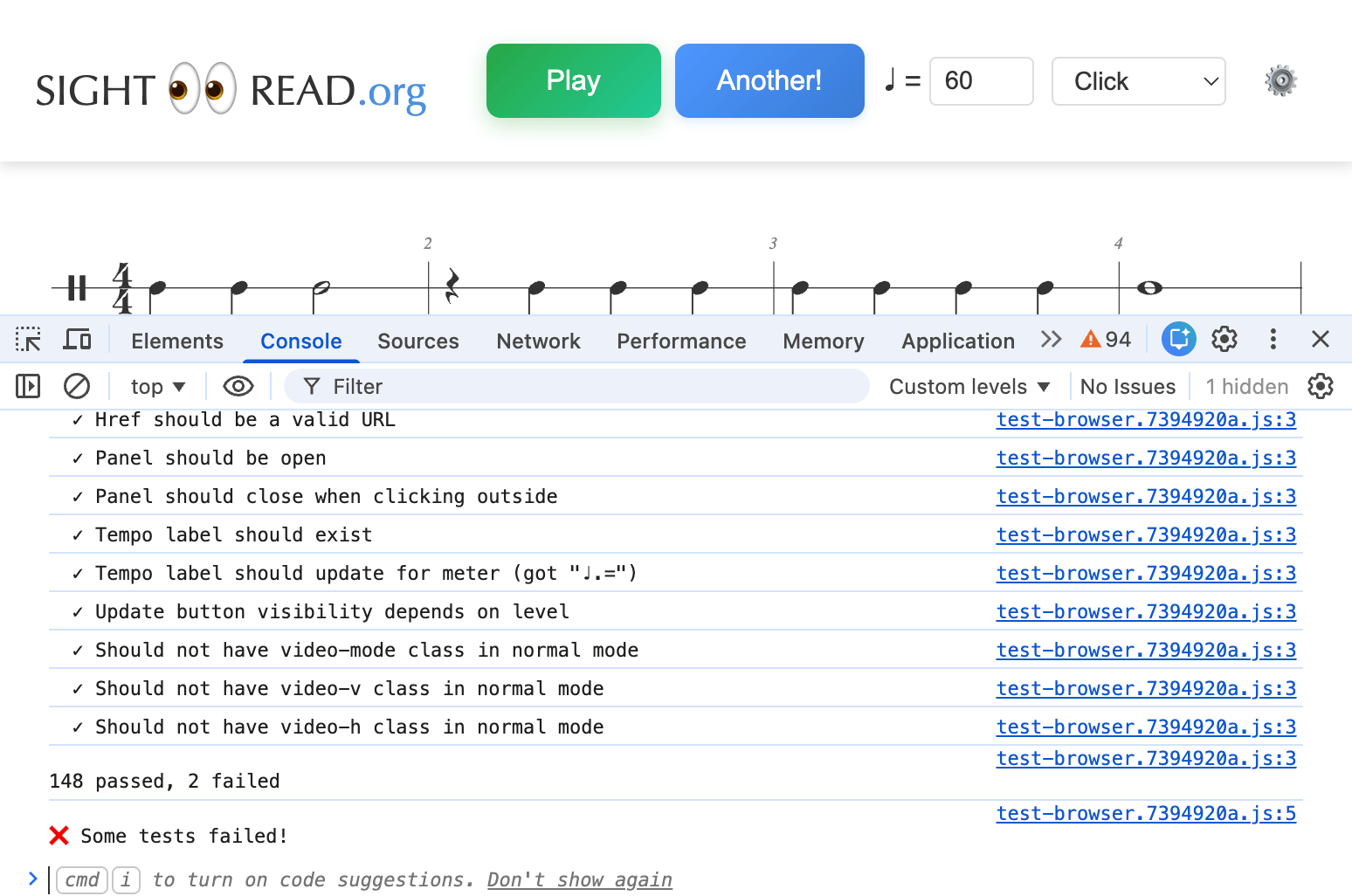
Actually I also kept these in production, you know, to catch any minification or other build-introduced hiccups. Want to see the actual code in action? Check out sightread.org#test - all the tests run right in your browser with #test in the URL.
Browser coverage with Puppeteer
For automated coverage, I use Puppeteer's built-in JavaScript coverage API. The script (test/coverage.mjs) is about 150 lines:
const browser = await puppeteer.launch({ headless: true });
const page = await browser.newPage();
// Start coverage collection
await page.coverage.startJSCoverage();
// Load page and run tests
await page.goto('http://localhost:8000/');
const results = await page.evaluate(async () => {
const { testInBrowser } = await import('./test/test-browser.js');
return await testInBrowser();
});
// Stop and collect coverage
const coverage = await page.coverage.stopJSCoverage();
// Filter to source files only
const sourceFiles = coverage.filter(entry =>
entry.url.includes('/src/')
);
// Calculate and display coverage
for (const entry of sourceFiles) {
const fileName = entry.url.split('/').pop();
const totalSize = entry.text.length;
let coveredSize = 0;
for (const range of entry.ranges) {
coveredSize += range.end - range.start;
}
const percent = ((coveredSize / totalSize) * 100).toFixed(1);
console.log(${fileName}: ${percent}%);
}
The coverage output:
File                    | Covered | Total   | %
------------------------|---------|---------|--------
app.js                  |    9232 |   13259 |  69.6%
bookmarkable.js         |    6245 |    6301 |  99.1%
music-lib.js            |   22147 |   23390 |  94.7%
patterns.js             |   13275 |   13275 | 100.0%
...
------------------------|---------|---------|--------
Total                   |   83648 |   94605 |  88.4%
Note: Puppeteer's coverage is byte-based (which bytes of the source were executed), not line-based. It's a slightly different metric than c8's, but just as useful.
Enforcing coverage at build time
Finally, in build.js, the tests run before any build steps, and coverage thresholds are enforced:
// Run Node.js tests with coverage
execSync('npx c8 --include=src --reporter=text node -e "import(\'./test/test-node.js\').then(m => m.test())"',
  { stdio: 'inherit' });
// Check Node.js coverage threshold (75% lines)
try {
execSync('npx c8 --include=src check-coverage --lines 75', { stdio: 'pipe' });
} catch (error) {
console.error('Node.js coverage below 75%! Build aborted.');
process.exit(1);
}
// Run browser tests and check coverage
const browserResult = execSync('node test/coverage.mjs', { encoding: 'utf8' });
const totalMatch = browserResult.match(/Total\s+|\s+\d+\s+|\s+\d+\s+|\s+([\d.]+)%/);
if (totalMatch) {
const browserCoverage = parseFloat(totalMatch[1]);
if (browserCoverage < 85) {
console.error(Browser coverage ${browserCoverage}% is below 85%! Build aborted.);
process.exit(1);
}
}
If tests fail or coverage drops below the threshold, the build fails. No mo' shipping untested code.
Some numbers
Currently, sightread.org has:
- Node.js tests: 13 test suites, including a stress test with 99 randomly generated examples
- Browser tests: 150 assertions covering rendering, UI interactions, audio playback, and URL handling
- Coverage: 79% Node.js, 88% browser. The audio stuff is hard to test.
- Ratio of production LOC vs LOC that test them is 55 to 45. So half of my code tests the other half. Ain't software development funny that way?
Trade-offs
I gave up...
- Fancy APIs like
expect(value).toBeGreaterThan(5) - Mocking libraries (I use real implementations or simple stubs)
- Snapshot testing (not needed for this project)
- IDE integrations for test discovery
...in order to gain:
- Zero dependencies (and their updates)
- Tests run fast
- A testing setup I can understand
- Tests that work exactly like production code (ES modules, same import paths)
Is this approach for everyone? Shirley, not. If you're on a team of 150 engineers (or 5?), you probably want a Jest-like ecosystem. But for a solo project where you want to understand every line of your toolchain, DIY testing works like a charm.
No configuration files, no plugins. Just functions that call other functions and... well, test if the results make sense.