Skills to pay the bills...and address your design system's check engine light
Read the original on bradfrost.com ↗We like to make things and help people. That's why I've become fascinated by AI agent skills; I see them as exciting new ways to help people and make things better.
So allow me (...and The Beastie Boys, our Eddie design system, and Opus 5.5) to introduce bradfrost/skills!
These skills will help you make better design systems, design & build better work with your design system, and establish healthy limits for AI use.
Install them with npx skills add bradfrost/skills or paste the following into your AI tool of choice.
Install these skills: https://github.com/bradfrost/skillsThere's a lot to unpack here, but today I want to focus on a skill that I've now witnessed hundreds of people use to improve their design systems before my very eyes: /ds-inspection.
Address your design system's check engine light
Early in the creation of our AI & Design Systems course, TJ said something like "You don't want to hitch rocket boosters to the back of a car with its check engine on." In the same spirit, you don't hook AI rocket boosters up to a design system that's rickety, out of sync, and poorly documented.
That's why TJ created Figma Console MCP, FigmaLint, and a slew of other resources. That's also why we dedicate an entire chapter of our course to the myriad ways to use AI to improve the quality of your design system foundations. And that's what led me to create /ds-inspection.
The workflow I detail in the course and workshops is this:
- Round up all of your design system assets: codebase, design library, documentation, and other relevant resources
- Get Figma Console MCP up and running
- Run my
/ds-inspectionskill - answer a few questions and let 'er rip - Get completely humbled by the inspection results. Most people (including me!) received a terrible first score, but good news! You also get a detailed, prioritized plan to improve it
- Blast through improvements to your design system, improving the quality, accessibility, parity, and AI readiness of your critical UI infrastructure
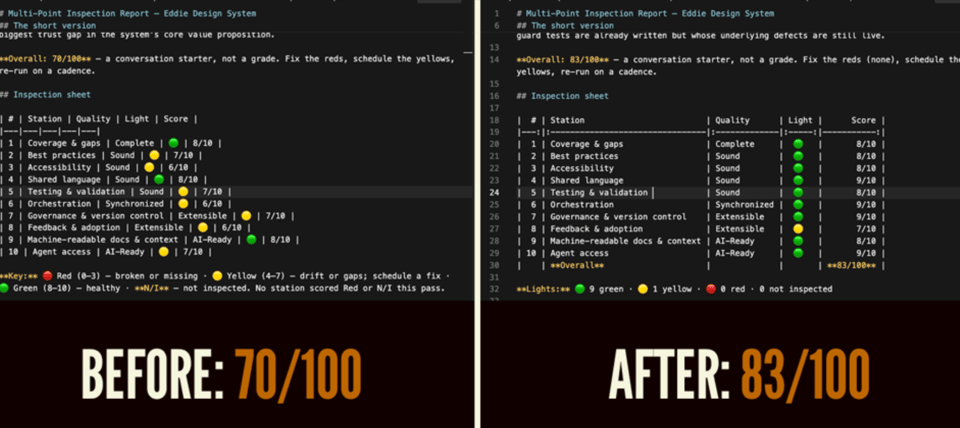
These techniques have been so helpful for improving our own system, but it's been genuinely stunning to watch a room full of people use these skills to fix and improve their respective design systems in real time. For someone who's been teaching, consulting, and guiding for over 15 years, this feels truly transformative.
Chapter 3 in AI & Design Systems details this workflow and plenty of other techniques to address your design system's check engine light. We just released 3 free video lessons from each of our courses to help you create and strengthen your design system foundations:
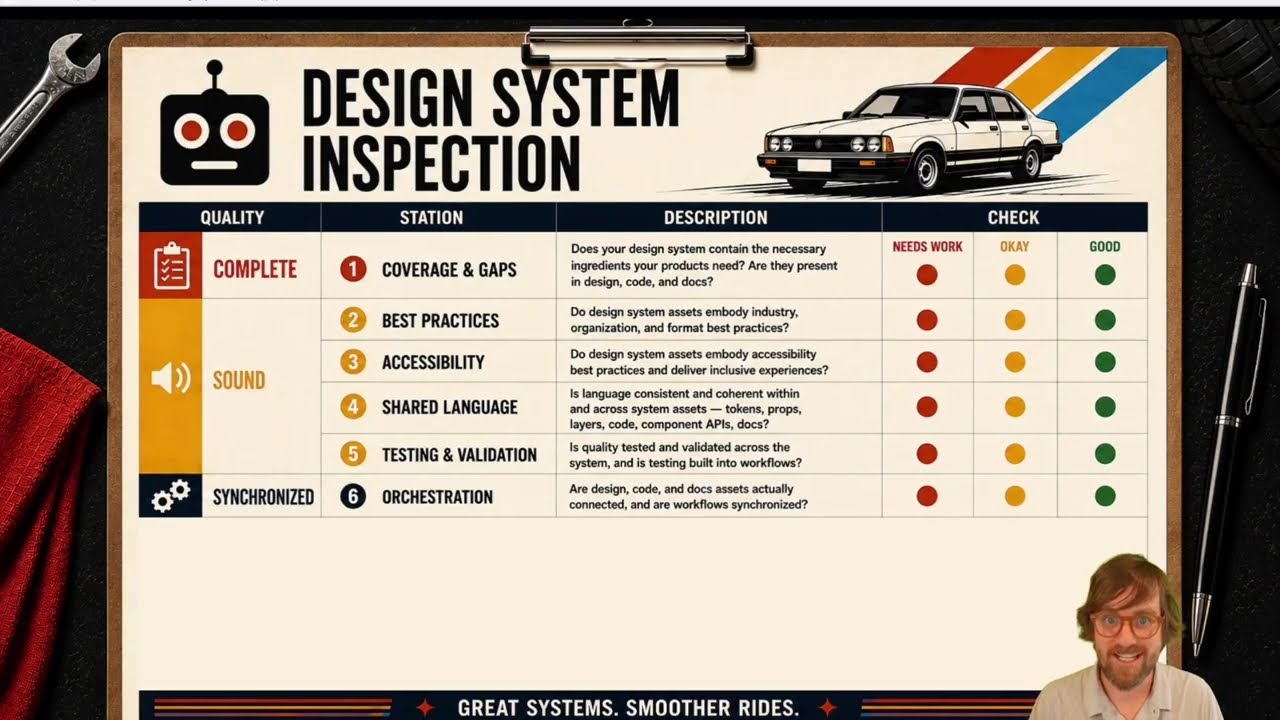
Your Design System's Check Engine Light
TJ and Brad pop the hood of a design system with a multi-point inspection: five qualities of a healthy, AI-ready system and 10 stations to check them.
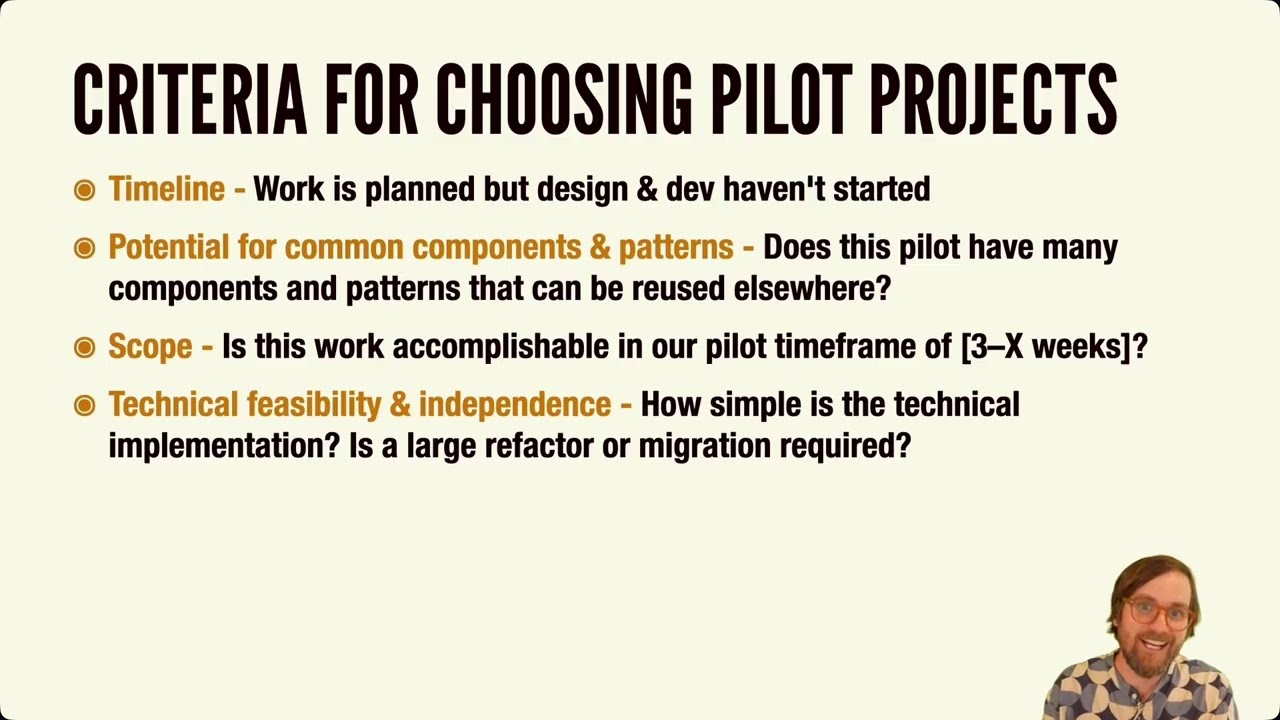
Choosing a Design System Pilot Project
Build your design system through one real page, flow, or small app before opening the door. Here's what makes a good pilot project.

Ship Your Design Token System with Confidence
Your token system is a product, so treat it like one. Run through this pre-publish checklist, then adopt tokens into the components you already have.
Our courses will improve your design system
Investing in our courses means investing in your design system, yourself, and ensuring your team is standing on solid ground as we navigate this fast-paced new era. Our biggest sale is running right now; all of our design systems courses are 33% off.
Here's the breakdown of our Black Friday sale:
- MEGA BUNDLE (all three courses)
$1,995$1,295 - AI & Design Systems
$1,495$995 - Subatomic: The Complete Guide to Design Tokens
$900$599 - Atomic Design
$150$99
Oh! and I'm going to slip this in here because I'm really excited about it. Running these AI agent skills return links to our most relevant course videos, articles, and free resources from our corpus of knowledge. This feels like an exciting new way of helping & teaching; we're showing up at the right time with the right resources to help you grow, learn, and exercise good human judgement.
And just a reminder: we have regional pricing, payment plans, team discounts (20% off for 3+ licenses, 30% off for 8+ licenses), and other discounts. Details are on the website, and you can also email courses@bradfrost.com.
Thanks again for sticking around with our sale tap dancing, but we hope to make it worth your while!