|
The following is a paid product review for Wispr Flow, a native voice-to-text app for Mac, Windows, and iPhone that converts speech into clear, polished writing and code. In the current AI boom, you may have already come across text-to-speech solutions that attempt to improve on some of the native or built-in tools you might have on your current desktop and mobile devices. One such solution offers you the ability to "work at the speed you think in every app you use."
Here's what Wispr Flow (also simply referred to as "Flow") allows you to do:
As you can see, depending on the device and context of your work, Wispr Flow opens up huge possibilities for increased productivity.
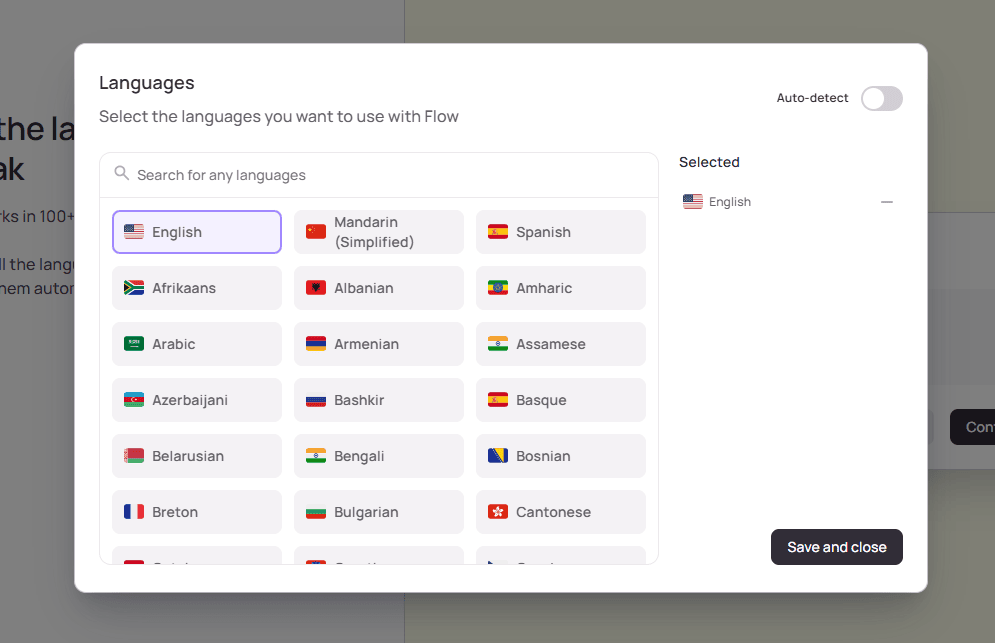
Installing Wispr Flow As mentioned, Wispr Flow is available as a native app for Mac, Windows, and iOS 18.3+. When you install on desktop, you'll be logged in and the app will ask for some basic info to get you started. Once installed, you'll run a few quick tests to ensure your mic is working properly. Part of the setup requires you to select your preferred spoken languages, which you can change in your settings at any time.
Setting up your languages in Wispr Flow
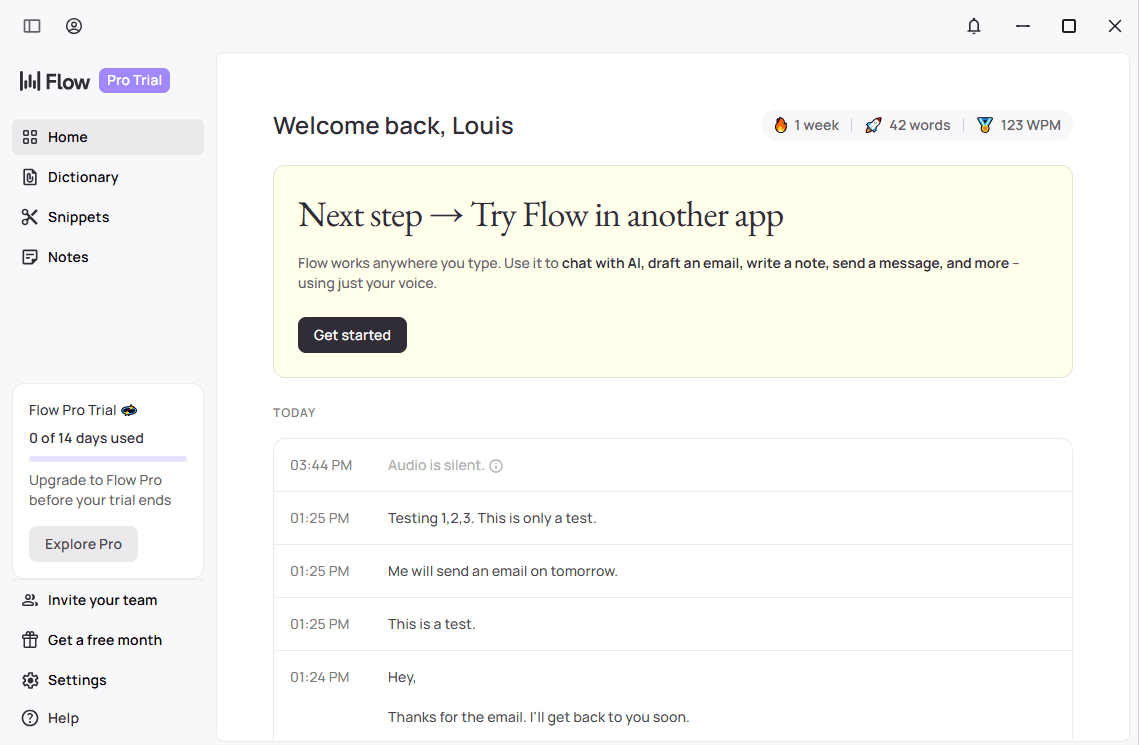
The Wispr Flow home dashboard gives you a good overview of the features, which includes a dictionary, commonly used snippets, notes, and more.
Wispr Flow's home section on the desktop app
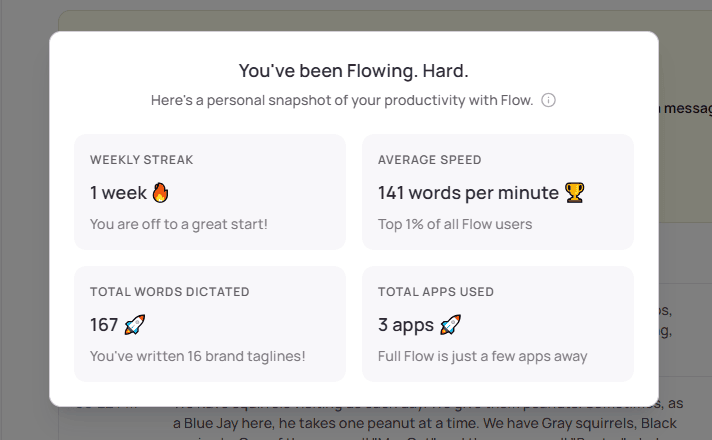
As you can see in the top-right area of the app's Home tab, Wispr Flow tracks your usage and provides real-time stats, showing you the number of words you've dictated, words-per-minute, and more info that's available when you click the stats bar.
Viewing analytics in Wispr Flow
Use Cases for Wispr Flow
That's just a sample of the apps it integrates with automatically. Basically, if the app has a text box, Wispr Flow is always one shortcut key away from accurate speech-to-text dictation.
Features for Vibe Coding
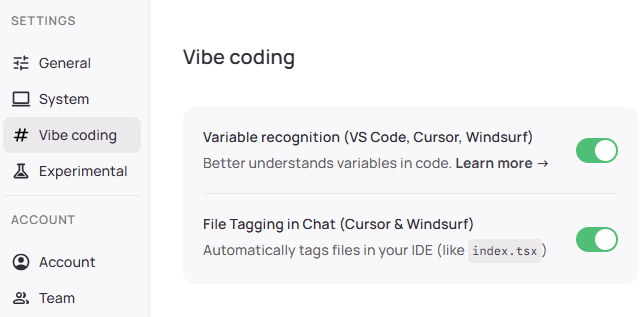
By default, file tagging in chat in the Cursor and Windsurf IDEs is enabled but you can also enable variable recognition in VS Code and the others (it's already enabled for GitHub, terminals, and Notion).
Vibe Coding settings in Wispr Flow on desktop
The idea behind variable recognition is to ensure your voice dictation doesn't stumble on variable names. Your speech is parsed with full syntax awareness, with application for camelCase, snake_case, spacing, formatting, and it will even interpret CLI commands and other developer jargon.
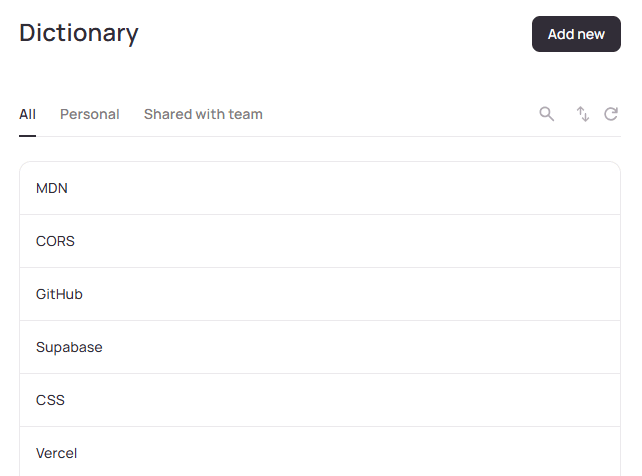
Your custom Dictionary in Wispr Flow
Your Dictionary will have items that are often technical terms that you want to ensure the voice dictation recognizes and spells correctly in context. This could include commonly-used names like SQLite or Cloudflare or anything that you use on a regular basis that might get misunderstood without context.
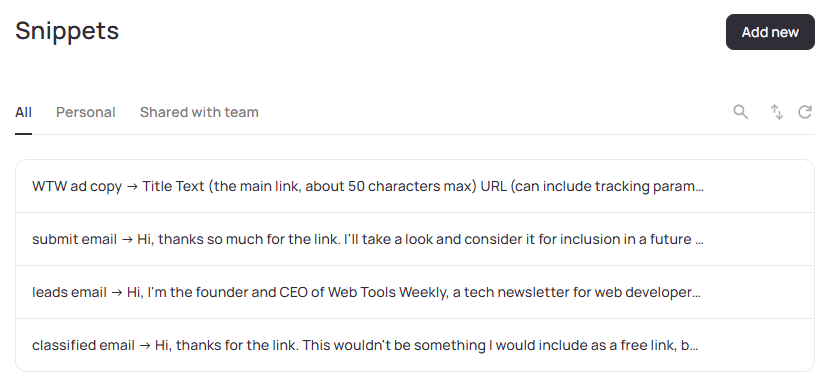
Your commonly-used Snippets in Wispr Flow
As shown above, in my Snippets section I've included a bunch of different keywords that will type out emails that I send out repeatedly. In your case, you might save some often-used code snippets or other text blocks that you don't want to have to retype every time you need them. |


Web Frameworksshadcn.io — A shadcn/ui resource for React developers that includes essential UI components, advanced patterns, and AI integrations, for building modern applications.
Nuxt Dashboard Template — A dashboard template with multiple pages, collapsible sidebar, keyboard shortcuts, light/dark modes, command palette, and more, powered by Nuxt UI. Shadcn Dashboard — A multipurpose and powerful admin panel dashboard template built with shadcn/ui, TypeScript, and Next.js, that includes 50+ components and 20+ page templates. |
Testing & Debugging ToolsBlazeDiff — A high-performance suite of diff tools for JavaScript applications, originally built as a pixel-perfect image comparison library that's faster than popular alternatives.
ANSI Escape Codes — A website that helps to inspect the input, visualize colors and styling, and list ANSI control codes and escape sequences. Techpresso — Get a daily rundown of what's happening in tech and what you shouldn't miss, read by 400,000+ professionals from Google, Apple, OpenAI, and more. SPONSORED gh-signoff — A GitHub CLI extension for local continuous integration that lets you run your tests on your own machine and sign off when they pass. rebrowser-patches — A repo that contains patches to enhance popular web automation libraries, specifically targeting the Puppeteer and Playwright packages. MCPJam Inspector — A local-first development platform for MCP servers, to visually test your server's tools, resources, and prompts, and you can use a playground to test your server against different models. |
|
Advertisement
|
|
Free Online Screen Recording
It’s collaborative. Easily invite experts to record their scenes and get them in realtime. Use it as a powerful front-end. Record, collaborate, and then download the project to Camtasia 2025 for full editing control. Fast export to Screencast.com for free quick-link sharing. Empower your team with time-stamped comments and feedback. |

Media Tools (SVG, Video, etc.)rawpixel — A one-stop resource to find beautiful visuals including images, templates, videos, wallpapers, fonts, icons, and more, for any type of design.
liquid-glass — A script creates a draggable liquid glass distortion effect that can be moved around the page, powered by SVG filters. Seven Point Sunday — Get 7 ideas to build your career every Sunday. Life hacks, passive income, AI prompts, book/music picks. From Kabir Sehgal, 16x Grammy winner and NYT bestselling author. SPONSORED OpenCut — A free, open source video editor, as an alternative to CapCut, for web, desktop, and mobile, with timeline-based editing, multi-track support, real-time preview, and more. ogImage.click — An online tool to quickly generate Open Graph images, headers, and similar social media graphics, for use on X, Instagram, blogs, etc., with templates and an easy-to-use UI for customizations. Invert Colors Online — A simple tool that lets you upload an image and it will invert the colors, with local-only processing and support for PNG, JPG, and WebP, and batch processing available (up to 20 files). |
Commercial Apps & Classifieds
|
A Social Post for ThoughtAs Jonah points out, it might not be necessary to build the 'next big thing' from scratch.
Send Me Your Tools!Made something? Reply to this email or send links via Direct Message on X or via chat on Bluesky (details here). No tutorials or articles, please. If you have any suggestions for improvement or corrections, feel free to reply to this email. Before I Go...If you're old enough to remember BYTE magazine, you'll want to check out this visual archive of the popular periodical, which was prominent in the 1970s and 1980s. It even has a search feature! |